Quick Answer: A sprocket calculator converts chain pitch, tooth counts, and center distance into practical drive data such as pitch diameter, outside diameter, speed ratio, output RPM, and chain length. It is a geometry and kinematics aid, not a final load rating. Check units, tooth order, roller diameter, and the applicable chain standard, then confirm capacity, fit, and safety with the chain or sprocket supplier.
A sprocket calculator is most useful when it is treated as a checked first pass. It helps you size the basic layout, compare tooth counts, and see how a change in pitch or center distance affects the drive before you request a quote or commit to a drawing.
Use it to answer layout and speed questions, not to certify a drive. The sections below cover the inputs, formulas, worked example, common mistakes, and the checks that belong with a supplier before ordering.
What a Sprocket Calculator Does and Does Not Do
A sprocket calculator is a geometry and kinematics tool for roller chain drives. Typical outputs include pitch diameter, outside diameter, speed ratio, output RPM, chain length, and center distance. Some tools also estimate root diameter when the roller diameter and chain standard are entered.
The calculator does not complete a power capacity, strength, fatigue life, or final selection review. Its results depend on the correct chain standard, pitch, tooth counts, roller diameter, and unit system. A wrong standard or a mixed unit set can make a clean-looking result unusable.
It also cannot see wear, chain elongation, misalignment, lubrication condition, shock loading, or installation space. Those factors change how the drive runs and how long it lasts. Do not treat a calculator result as proof that a chain or sprocket can carry a given load safely.
Key Sprocket and Chain Drive Terms
Use one set of terms and symbols from the chain standard or supplier catalog you are working to. Mixing definitions from different systems is a common source of error.
- Chain pitch (P): the linear distance between corresponding points on adjacent chain joints, usually expressed in millimeters or inches.
- Number of teeth (N): the count on the driver or driven sprocket. Subscripts such as N1 and N2 keep the two positions separate.
- Pitch diameter (PD): the theoretical circle on which the chain articulates. It is the dimension used for ratio and center distance geometry.
- Outside diameter (OD): the overall diameter across the tooth tips. It is not the same as pitch diameter.
- Root diameter: the diameter at the bottom of the tooth spaces. It depends on pitch diameter and roller diameter.
- Roller diameter (D_r): the diameter of the chain roller. It is needed for root diameter and some profile checks.
- Center distance (C): the distance between the driver and driven shaft centers.
- Chain length in pitches (L): the chain length expressed as a number of pitches, which is then rounded to a usable link count.
- Speed ratio (i): the driven speed relationship, calculated from tooth counts.
- Output RPM (n2): the driven shaft speed for a given driver speed.
- Wrap angle: the arc of sprocket contact with the chain. It affects wear and load distribution but not the basic tooth ratio.
- Chain slack: the controlled looseness in the slack span. It must follow the drive maker’s setting, not a guessed value.
Pitch diameter and outside diameter cannot be used interchangeably. Pitch diameter belongs in ratio, chain length, and center distance work. Outside diameter belongs in clearance and envelope checks.
Inputs Required for a Sprocket Calculation
Most sprocket calculator layouts ask for the following inputs:
- Chain standard or chain number and pitch
- Driver sprocket tooth count, N1
- Driven sprocket tooth count, N2
- Driver input speed, n1
- Center distance, C
- Roller diameter, D_r, when root diameter or certain profile checks are needed
Keep the unit system consistent. If pitch is in millimeters, enter center distance in millimeters. If pitch is in inches, enter center distance in inches. Do not mix a metric pitch with an inch center distance unless the tool converts both values explicitly.
Also confirm the installation conditions: available space, shaft diameter, hub size, keyway, and any bore or mounting limit. These are not geometry outputs from a generic calculator, but they decide whether a calculated sprocket can be installed.
Power, torque, shock, start-stop frequency, and lubrication are selection inputs, not just layout inputs. A single-strand and a multi-strand drive also need different capacity corrections. If the chain standard or roller diameter is missing, root diameter and some outside profile checks cannot be calculated reliably.
Core Formulas Used by Sprocket Calculators
The formulas below are the common geometry and kinematics relationships. Use them to check the calculator, not to replace the standard or the supplier’s selection table.
- Pitch diameter: PD = P / sin(180°/N)
- Outside diameter, approximate: OD is about P x (0.6 + cot(180°/N))
- Root diameter, approximate: DR is about PD – D_r
- Speed ratio: i = N2 / N1 = n1 / n2
- Output speed: n2 = n1 x N1 / N2
- Chain length in pitches, approximate: L = 2C/P + (N1 + N2)/2 + ((N2 – N1)^2 x P)/(4 x π^2 x C)
Keep the angle mode consistent. If the calculator uses degrees, enter 180°/N in degrees. If it uses radians, convert the angle before calculating. Rounding also matters: a chain length of 90.25 pitches is not an orderable length until it is rounded and the center distance is rechecked.
The outside diameter and root diameter formulas are approximations that assume a standard tooth form. Different tooth forms, cutters, or supplier corrections can change the final profile. Nonstandard tooth forms, variable-pitch chains, and special chains cannot be calculated directly with these general formulas.
How to Use a Sprocket Calculator Step by Step
- Select the chain standard and the unit system. Enter the pitch in the same system you will use for center distance.
- Enter the driver tooth count N1 and the driven tooth count N2. Keep the order correct.
- Enter the driver input speed n1 and the center distance C. Add the roller diameter if the tool asks for it.
- Run the calculation and record pitch diameter, outside diameter, speed ratio, output RPM, and chain length.
- Check the result against space, ratio, chain length rounding, and center distance adjustment. If the chain length is not a usable link count, adjust the center distance or add a tensioner.
- If a result looks wrong, recheck units, tooth order, and roller diameter before changing the layout.
The driver and driven tooth counts cannot be reversed. Reversing them flips the ratio and gives the wrong output speed. For a multi-stage drive, calculate each stage separately and check the intermediate shaft speed and torque.
Save the inputs and outputs with the project record. That makes later purchasing and engineering review much easier than rebuilding the calculation from memory.
Calculating Sprocket Size and Dimensions
Start with pitch and tooth count. Pitch diameter comes from PD = P / sin(180°/N). Outside diameter is an approximate envelope dimension from the tooth tips. Root diameter depends on pitch diameter and roller diameter.
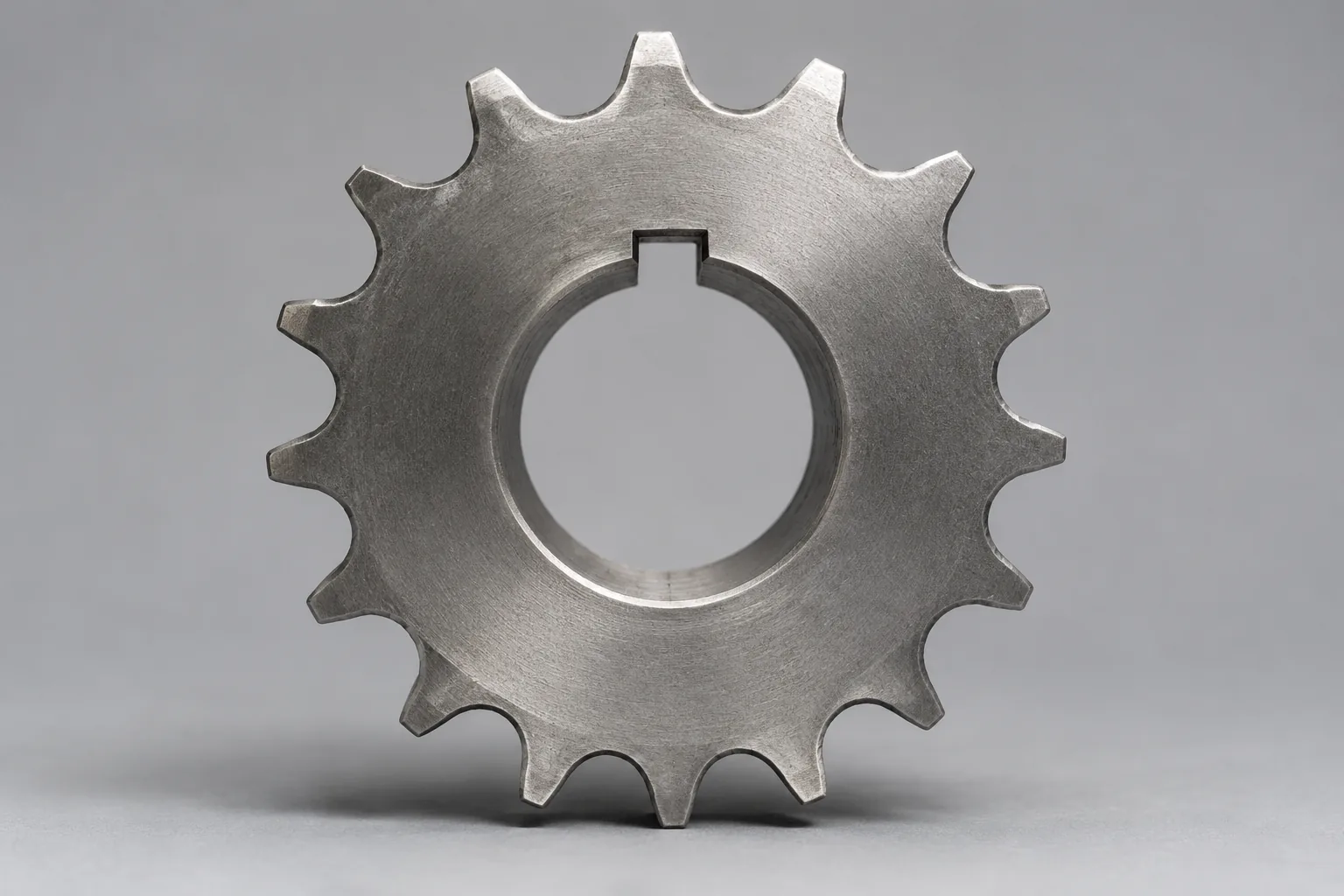
Separate calculated dimensions from manufacturing dimensions. Hub diameter, bore, keyway, chamfers, tolerances, and material condition usually come from the supplier drawing or the sprocket standard, not from a general calculator. Outside diameter and tooth tip shape can also differ with the standard, the tooth form, and the cutter.
For space checks, use the largest expected outside diameter and add clearance for chain movement, guards, and frame deflection. A custom sprocket’s hub, bore, and keyway cannot be fixed by a general calculator alone.
Calculating Speed Ratio and Output RPM
Speed ratio is the driven tooth count divided by the driver tooth count: i = N2 / N1. Output speed is the input speed divided by that ratio: n2 = n1 / i, or n2 = n1 x N1 / N2. A 36-tooth driven sprocket and an 18-tooth driver give a ratio of 2 and an output speed of half the input speed.
The ratio is inversely related to speed. Torque relationship needs a separate check that includes efficiency and the actual load. Use driver speed for n1 and keep both tooth counts in the same calculation. For a multi-stage drive, repeat the ratio and speed calculation for each stage.
Shaft direction, layout, and wrap angle affect how the drive runs, but they do not change the basic tooth-count ratio. If the chain slips, jumps, or deforms, the theoretical ratio will not fully describe the actual output.
Calculating Chain Length and Center Distance
Chain length is normally calculated in pitches and then rounded to a usable link count. The approximate relationship uses center distance, both tooth counts, and pitch. A small change in center distance can change the rounded length, so the layout and the chain count must be checked together.
After rounding, adjust the center distance or use a tensioner. Leave room for installation slack, normal tensioning, and later adjustment. Many drives use an even number of pitches to avoid an offset link, but confirm the rule with the chain supplier for the specific chain.
If the center distance is fixed and the rounded length does not fit, an idler, a tensioner, or a nonstandard chain length may be needed. Do not force a length by ignoring the required slack or the available adjustment.
Load, Torque, and Power Checks
A sprocket calculator usually solves geometry and kinematics. It does not automatically complete a power capacity selection. Check torque, power, service factor, shock load, start-stop frequency, and lubrication separately. Use the chain manufacturer’s rating table for the final capacity check.
Shock, frequent reversing, heavy starts, and high temperature can require a higher service factor or a special selection. Safety factors and guards must follow the application and the local requirements. A calculator result is not a guarantee of breaking strength or fatigue life.
Common Sprocket Calculator Mistakes and Limitations
- Using outside diameter where pitch diameter is required, or the reverse.
- Mixing metric and inch inputs in one calculation.
- Reversing the driver and driven tooth counts.
- Leaving the roller diameter blank when root diameter is needed.
- Ignoring chain length rounding and the center distance change that follows.
- Checking the sprocket envelope but not the chain, guard, or adjustment space.
- Treating a geometry result as a load capacity approval.
Wear and chain elongation change the effective pitch. Misalignment, incorrect tension, and poor lubrication add load and wear that a clean calculator model does not show. A chain that rides up on the teeth, jumps off, or shows heavy tooth-face wear needs diagnosis, not just a new calculation.
Measure chain elongation, inspect the tooth faces, check the chain and sprocket alignment, and confirm lubrication before changing tooth counts. For high shock, high speed, cleanroom, food-grade, or extreme-temperature applications, use an application review beyond a general calculator.
Worked Example: Using a Sprocket Calculator
Assume a driver with N1 = 18 teeth, a driven sprocket with N2 = 36 teeth, a pitch P = 12.7 mm, an input speed n1 = 1000 RPM, and a center distance C = 400 mm. These values are for illustration only, not a product recommendation.
- Driver pitch diameter: PD1 = 12.7 / sin(10°) = 73.1 mm
- Driven pitch diameter: PD2 = 12.7 / sin(5°) = 145.7 mm
- Driver outside diameter, approximate: OD1 = 12.7 x (0.6 + cot(10°)) = 79.6 mm
- Driven outside diameter, approximate: OD2 = 12.7 x (0.6 + cot(5°)) = 152.8 mm
- Speed ratio: i = 36 / 18 = 2.0
- Output speed: n2 = 1000 / 2 = 500 RPM
- Chain length: L = 2 x 400 / 12.7 + (18 + 36)/2 + ((36 – 18)^2 x 12.7)/(4 x π^2 x 400) = 90.25 pitches
Round 90.25 pitches to 90 pitches for an even count, which gives a chain length of 90 x 12.7 = 1143 mm. Recheck the center distance after rounding, and confirm root diameter with the actual roller diameter. The example does not confirm capacity, bore, keyway, hub size, or material. Those require the supplier drawing and a load check.
Sprocket Calculator vs Manual Calculation and Supplier Tools
A calculator is fast and reduces arithmetic errors, but it can hide its assumptions. Manual calculation is slower, yet it is useful for understanding the formulas and checking a suspect result. A supplier selection tool usually adds capacity tables, standard part data, and product-specific limits.
Any tool output still needs an input check: chain standard, pitch, units, tooth order, roller diameter, and center distance. For critical applications, keep the calculation record and the supplier confirmation with the project file. A supplier tool may cover only that supplier’s sprocket series and may not transfer directly to another maker’s parts.
Selection Checklist Before Ordering a Sprocket
- Confirm chain standard, pitch, tooth count, pitch diameter, outside diameter, and root diameter.
- Confirm bore, keyway, hub dimensions, material, heat treatment, and surface finish requirements.
- Confirm chain length, link count, center distance adjustment, and tensioning method.
- Confirm shaft direction, running clearance, lubrication method, and guard requirements.
- Cross-check the calculator result with the supplier drawing or selection table before release.
Check the unit system and the interchangeability of any replacement part before ordering. Corrosive, food-contact, high-temperature, or high-shock service needs additional material and application review.
Conclusion
A sprocket calculator is a useful first tool for pitch diameter, outside diameter, speed ratio, output RPM, and chain length. Its value depends on correct inputs, consistent units, the right tooth order, and the right roller diameter. Use the result to shape the layout, then confirm load capacity, bore, keyway, hub, material, and safety requirements with the supplier.
Before you calculate, collect the chain standard, pitch, tooth counts, input speed, center distance, roller diameter, and available space. After you calculate, recheck the rounded chain length and the center distance together. That sequence keeps a simple sprocket calculator from becoming an expensive assumption.
FAQs
Q1: What does a sprocket calculator calculate?
A: It calculates common geometry and kinematics values such as pitch diameter, outside diameter, speed ratio, output RPM, and chain length. Some tools also estimate root diameter when roller diameter is entered. It does not by itself confirm load capacity, fatigue life, or a final sprocket selection.
Q2: How do you calculate sprocket pitch diameter?
A: Use PD = P / sin(180°/N), where P is chain pitch and N is the number of teeth. Keep the angle in degrees if that is the calculator setting. Pitch diameter is not the same as outside diameter, so do not use the OD value for ratio or center distance work.
Q3: How do you calculate chain length from sprocket teeth and center distance?
A: Use the approximate pitch-count formula L = 2C/P + (N1 + N2)/2 + ((N2 – N1)^2 x P)/(4 x π^2 x C). Keep C and P in the same unit. Round the result to a usable link count, then recheck the center distance or tensioner adjustment.
Q4: Can I use a sprocket calculator for both metric and imperial chains?
A: Yes, if every input uses one consistent system. Enter a metric pitch with a metric center distance, or an inch pitch with an inch center distance. Do not mix the two unless the tool converts both values explicitly and shows the converted inputs.
Q5: Does speed ratio depend on sprocket tooth count?
A: Yes. The ratio is the driven tooth count divided by the driver tooth count. An 18-tooth driver and a 36-tooth driven sprocket give a ratio of 2. The output speed is the input speed divided by that ratio.
Q6: How do I calculate output RPM from sprocket teeth?
A: Use n2 = n1 x N1 / N2, where n1 is the driver speed, N1 is the driver tooth count, and N2 is the driven tooth count. Confirm that n1 is the driver speed and that both tooth counts are in the correct positions.
Q7: What is the difference between pitch diameter and outside diameter?
A: Pitch diameter is the theoretical circle where the chain articulates. Outside diameter is the overall dimension across the tooth tips. Use pitch diameter for ratio, chain length, and center distance. Use outside diameter for clearance and envelope checks.
Q8: Why does my calculator result differ from the supplier catalog?
A: Common reasons include rounding, a different tooth form, a different standard, an approximate outside diameter formula, or a catalog value that already includes a supplier correction. Check the input standard, pitch, tooth count, and roller diameter before assuming the calculator is wrong.
Q9: Do I need an even number of chain links?
A: Many drives use an even number of pitches to avoid an offset link, but the final rule depends on the chain and the supplier’s instructions. If an odd count is unavoidable, use the supplier-approved offset link and confirm its rating for the application.
Q10: How much chain slack should a drive have?
A: Use the chain or equipment maker’s specified slack for the drive orientation and application. The chain should have enough slack to avoid binding but not so much that it whips, jumps, or wears the sprocket teeth. Measure with the drive stopped and guarded.
Q11: Can a sprocket calculator determine the required horsepower?
A: No. A geometry calculator does not select horsepower by itself. Required horsepower depends on torque, speed, service factor, shock, start-stop frequency, lubrication, and the chain maker’s rating table. Use the calculator for layout, then complete a separate power capacity check.